폴더블 기기 지원
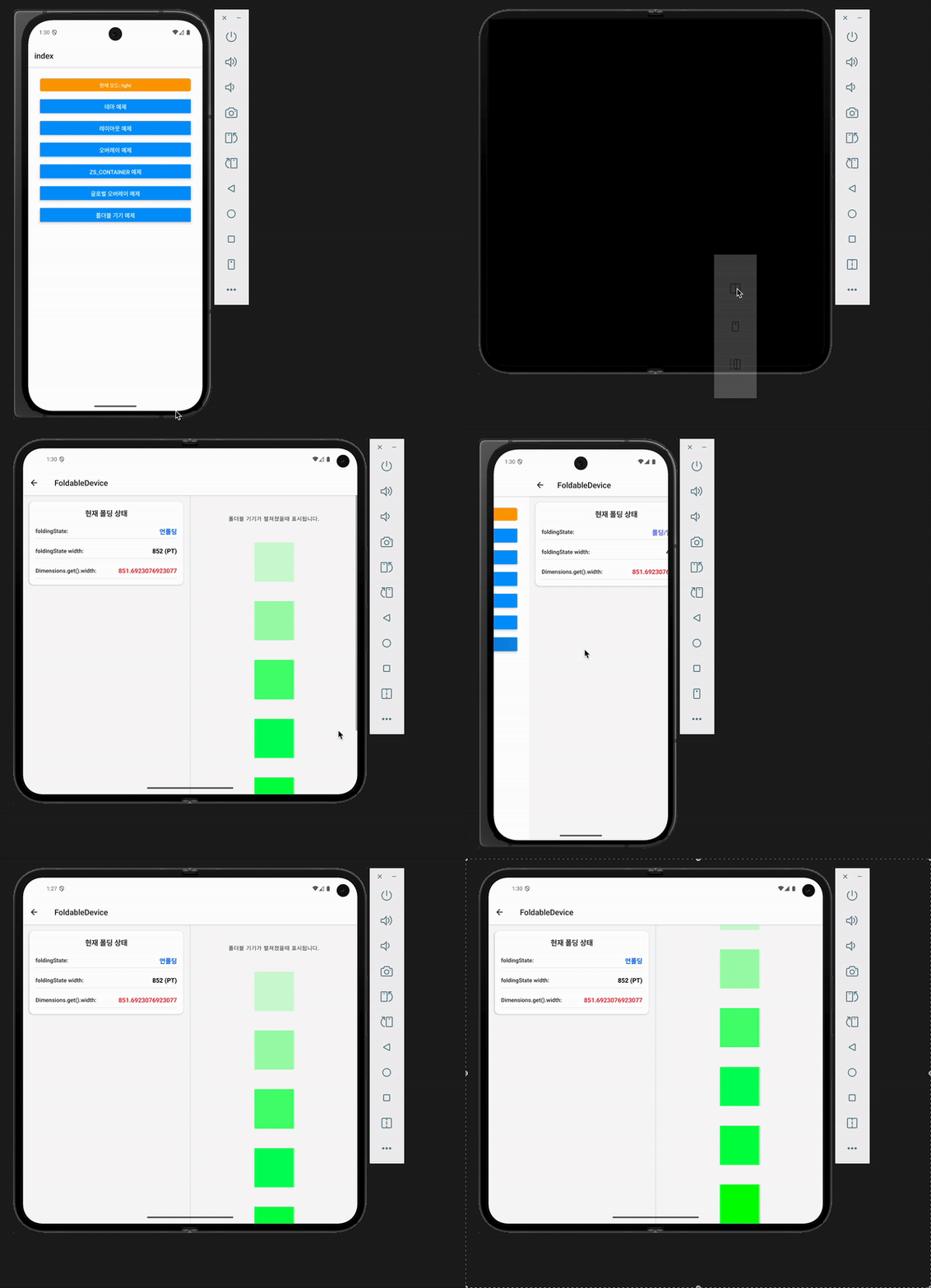
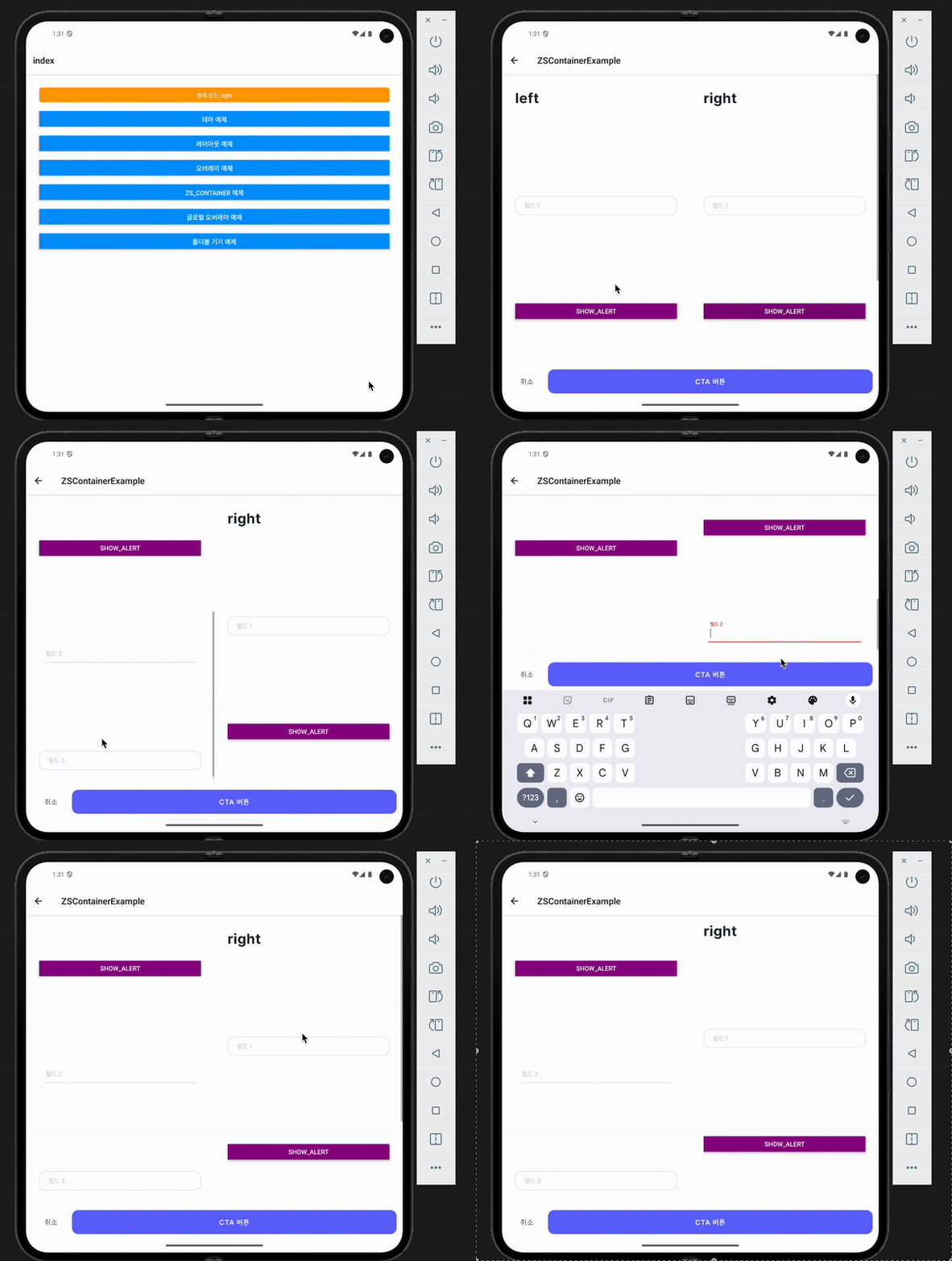
폴더블 기기의 접힘/펼침 상태를 감지하고, 펼침 상태에서 양쪽 화면에 콘텐츠를 분할하여 표시할 수 있는 기능을 제공합니다.
실제 Android 앱에서 확인하세요
웹에서는 예제를 렌더링하지 않고 미지원 안내만 띄웁니다. useFoldingState의 접힘·펼침 감지, hinge 전환, rightComponent 2-pane 렌더링은 Android 폴더블 에뮬레이터 또는 실제 기기에서 확인하세요.
Interactive exampleFoldableDevice 로컬 웹 예제
예제를 선택하면 현재 저장소 소스로 만든 Expo Web 화면을 불러옵니다.
웹 미지원 또는 플랫폼 종속 기능은 실제 iOS·Android 앱에서 확인하세요.
기본 사용법
import { ZSContainer, useFoldingState, FoldingState } from '@0610studio/zs-ui';

function FoldableScreen() {
  const { foldingState } = useFoldingState();

  return (
    <ZSContainer
      dividerLineComponent={<View style={{ width: 3, backgroundColor: '#E0E0E0' }} />}
      rightComponent={
        <View>
          <Text>오른쪽 화면 콘텐츠</Text>
        </View>
      }
    >
      <View>
        <Text>왼쪽 화면 콘텐츠</Text>
        <Text>현재 상태: {foldingState === FoldingState.UNFOLDED ? '펼침' : '접힘'}</Text>
      </View>
    </ZSContainer>
  );
}
폴딩 상태 감지
useFoldingState Hook
폴더블 기기의 현재 상태를 감지하는 Hook입니다.
import { useFoldingState, FoldingState } from '@0610studio/zs-ui';

function MyComponent() {
  const { foldingState, width } = useFoldingState();

  return (
    <View>
      <Text>현재 상태: {foldingState === FoldingState.UNFOLDED ? '펼침' : '접힘'}</Text>
      <Text>화면 너비: {width}pt</Text>
    </View>
  );
}
FoldingState 타입
export enum FoldingState {
  FOLDED = 'folded',     // 접힘 상태 (일반 스마트폰 모드)
  UNFOLDED = 'unfolded'  // 펼침 상태 (태블릿 모드)
}
useFoldingState() 는 { foldingState, width } 를 반환합니다. 상태 비교는 문자열 리터럴 대신 FoldingState enum 으로 하세요.
ZSContainer 폴더블 지원
ZSContainer Props
| 속성명 | 타입 | 기본값 | 설명 |
|---|---|---|---|
dividerLineComponent | ReactNode | undefined | 두 화면 사이의 구분선 컴포넌트 |
rightComponent | ReactNode | undefined | 펼침 상태에서 오른쪽 화면에 표시할 컴포넌트 |
foldableSingleScreen | boolean | false | 펼침 상태에서도 분할하지 않고 단일 화면으로 유지 |
unfoldedSinglePaneMaxWidth | number | false | ThemeProvider 의 foldable 설정 | 펼침 + 단일 화면일 때 콘텐츠 최대 가로 길이(px). false면 전폭 |
동작 방식
- 접힘 상태 (FOLDED): 일반적인 단일 화면으로 동작하며
rightComponent는 표시되지 않습니다. - 펼침 상태 (UNFOLDED): 화면이 좌우로 분할되어 왼쪽에는 기본 콘텐츠, 오른쪽에는
rightComponent가 표시됩니다.
구분선 설정
두 화면 사이에 구분선을 추가할 수 있습니다.
<ZSContainer
  dividerLineComponent={
    <View style={{
      width: 2,
      backgroundColor: '#E0E0E0',
      marginHorizontal: 8
    }} />
  }
  rightComponent={<RightContent />}
>
  <LeftContent />
</ZSContainer>
주의사항
- 플랫폼 지원: 현재 Android 폴더블 기기에서만 지원됩니다.
- 스크롤 동기화: 양쪽 화면의 스크롤은 독립적으로 동작합니다.
- 키보드 처리: 키보드가 나타날 때 양쪽 화면 모두에서 적절한 스크롤 처리가 이루어집니다.
- 성능: 폴딩 상태 변경 시 리렌더링 및 재시작 발생